Large language models are impressive, but they have a fundamental problem: they only know what they learned during training. Ask about your company's latest policy document, and they're lost. Ask about events from last week, and they'll either make something up or admit they don't know.
This RAG guide explains how Retrieval Augmented Generation solves that problem by giving LLMs access to external knowledge at query time. Instead of relying solely on pre-trained data, a RAG system retrieves relevant information from your documents, databases, or knowledge bases before generating a response. The result? Answers that are accurate, current, and grounded in actual data.
If you're building AI applications that need to work with real information, understanding RAG fundamentals and benefits isn't optional. It's essential.
What Is RAG and Why Does It Matter?
RAG stands for Retrieval Augmented Generation. The concept is straightforward: before an LLM generates a response, a retrieval system finds relevant documents from an external knowledge base and includes them as context.
Think of it like open-book testing. Instead of asking the model to recall everything from memory, you give it reference materials to work with. The model reads the relevant passages, then formulates an answer based on what it found.
This retrieval augmented generation complete guide covers why this matters for real applications. Understanding large language models reveals their key limitation: static training data. Even the most capable models have a knowledge cutoff date. They can't access information that wasn't in their training data, and they can't distinguish between outdated facts and current ones.
RAG addresses four critical problems:
Outdated information. Training an LLM takes months. By the time it's deployed, some of its knowledge is already stale. RAG connects the model to live data sources that can be updated instantly.
Hallucination. When LLMs don't know something, they sometimes make things up. By providing actual source documents, RAG grounds responses in verifiable information, significantly reducing hallucinations.
Domain specificity. General-purpose models lack deep knowledge of your industry, products, or internal processes. RAG lets you connect any knowledge base without expensive retraining.
Transparency. RAG systems can cite their sources, showing exactly which documents informed each response. This builds trust and enables fact-checking.
How the RAG Architecture Works
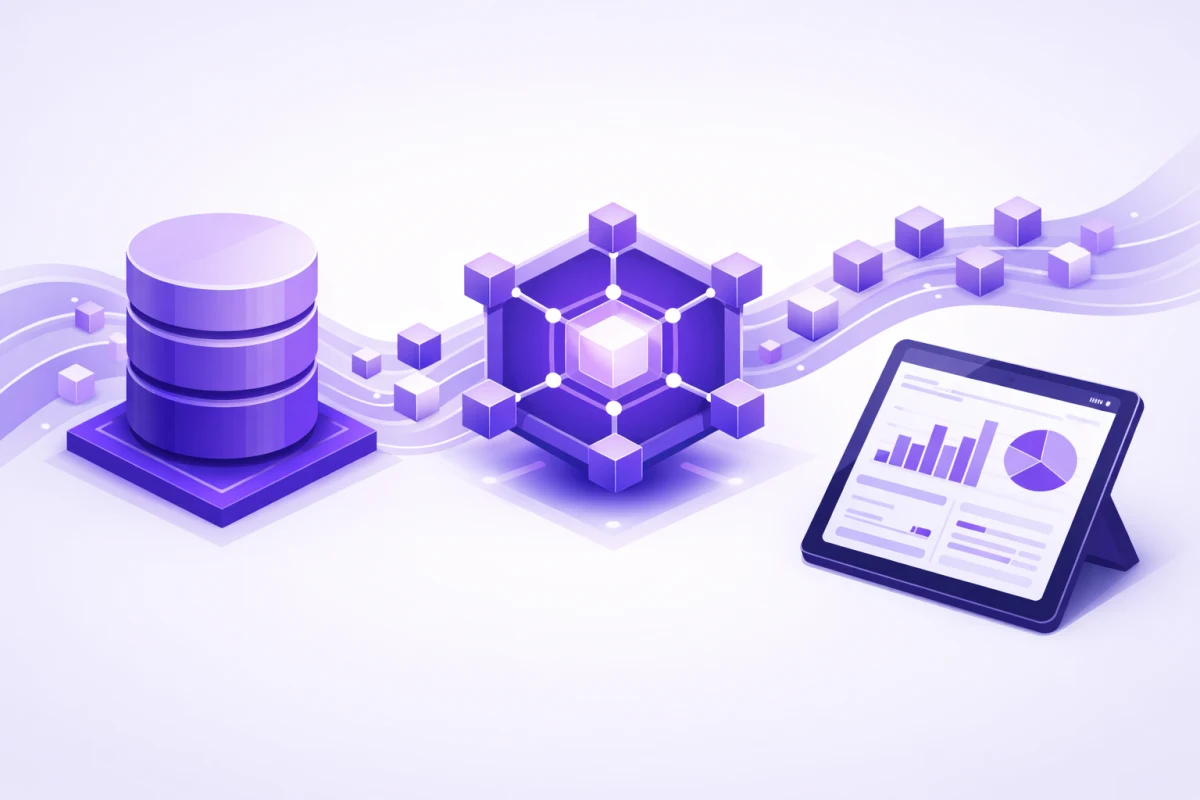
The RAG architecture has distinct components that work together in a pipeline. Understanding each piece helps you build better systems.
Document Ingestion
Everything starts with your raw data. PDFs, web pages, internal wikis, support tickets, whatever knowledge you want your system to access. The ingestion phase converts these into a format suitable for retrieval.
Documents get cleaned, normalized, and split into smaller pieces called chunks. We'll cover chunking in detail later, but the basic idea is that smaller, focused chunks retrieve more precisely than entire documents.
Embedding Generation
Chunks don't stay as text. They're converted into embeddings, which are dense numerical vectors that capture semantic meaning. How embeddings power semantic search explains this transformation in detail.
Embedding models like OpenAI's text-embedding-3-large or open-source options like BGE-M3 and Nomic Embed analyze text and output vectors with hundreds or thousands of dimensions. Similar concepts end up with similar vector representations, even if they use different words.
For example, "time off policy" and "vacation guidelines" produce vectors that are close together in the embedding space, even though they share no words. This semantic similarity is what makes vector search powerful.
Vector Storage
Those embeddings need a home. Vector databases are purpose-built for storing and searching high-dimensional vectors at scale. The mathematical foundations of vector search involve algorithms like Hierarchical Navigable Small World (HNSW) graphs that enable millisecond-level searches across millions of vectors.
Choosing the right vector database depends on your scale, infrastructure, and requirements. Options range from embedded solutions like ChromaDB for prototypes to managed services like Pinecone for production workloads.
Retrieval
When a user submits a query, it goes through the same embedding process as the documents. The resulting query vector is compared against all stored document vectors using similarity metrics like cosine distance.
Measuring similarity with cosine distance determines which stored chunks are most semantically related to the query. The top-k most similar chunks, typically 3 to 10, are retrieved as context.
Augmented Generation
Finally, the retrieved chunks are injected into the LLM's prompt along with the user's question. The model generates a response informed by this context, ideally staying faithful to the provided information.
How LLM context windows work determines how much retrieved content you can include. Modern models support 128k tokens or more, but maximizing context window utilization requires careful balance. More context isn't always better since irrelevant information can actually hurt response quality.
Your Vector Database Guide: Choosing the Right One
Vector databases have become essential infrastructure for AI applications. This vector database guide covers the major options and when to choose each.
Purpose-Built Vector Databases
Pinecone is a fully managed, cloud-native option. You don't manage infrastructure. It handles scaling, indexing, and updates automatically. Best for teams that want to focus on application logic rather than database operations.
Milvus is open-source and handles massive scale. It supports GPU acceleration, multiple indexing methods (IVF, HNSW, PQ), and distributed querying. Better for organizations with dedicated infrastructure teams who need control and cost efficiency at scale.
Weaviate combines vector search with GraphQL and RESTful APIs. It's particularly strong for applications that need to query vectors alongside structured metadata.
Qdrant is written in Rust for performance. It's open-source with both self-hosted and managed cloud options. Good balance of speed and ease of use.
Chroma is designed for rapid prototyping. Its Python API feels natural for developers, and it runs embedded with zero configuration. Not as fast as specialized databases, but perfect for MVPs and learning.
Vector Extensions for Existing Databases
If you're already running PostgreSQL, Elasticsearch, MongoDB, or Redis, you might not need a separate vector database.
pgvector adds vector similarity search to PostgreSQL. Recent benchmarks show pgvectorscale achieving 471 queries per second at 99% recall on 50 million vectors. That's competitive with purpose-built solutions for many workloads.
Elasticsearch and MongoDB Atlas both support vector search alongside their traditional capabilities. This simplifies architecture when you need vectors alongside other data types.
Comparing popular vector database options helps you evaluate these choices against your specific requirements. Key factors include:
- Scale: How many vectors do you need to store? Millions? Billions?
- Latency: What's your target query time?
- Infrastructure: Do you want managed or self-hosted?
- Integration: Does it work with your existing stack?
- Cost: What's your budget at scale?
Vector Search Fundamentals and How Semantic Search Works
Vector search fundamentals differ significantly from traditional database queries. Instead of matching exact values or keywords, vector search finds content by meaning.
From Keywords to Meaning
Traditional search works on exact matches. Search for "machine learning algorithms" and you find documents containing those words. Miss anything that says "ML methods" or "artificial intelligence techniques" even though they mean the same thing.
Semantic versus traditional keyword search reveals this limitation. Keyword search is precise but brittle. It can't understand synonyms, handle typos gracefully, or recognize conceptual similarity.
Semantic search using vectors flips this around. Documents and queries are converted to embeddings that capture meaning. Two pieces of content with similar meanings produce similar vectors, regardless of the specific words used.
The tradeoff? Semantic search sometimes misses obvious keyword connections. Search for "PTO policy" and pure vector search might return results about "time off guidelines" while missing the document titled "PTO Policy 2026" because the semantic similarity wasn't strong enough.
Hybrid Search: Best of Both Worlds
Combining semantic and keyword approaches through hybrid search solves this problem. Run both searches simultaneously, then merge the results using techniques like Reciprocal Rank Fusion.
One production case study reported a 35% improvement in retrieval accuracy after implementing hybrid search. The semantic component catches conceptually related content while the keyword component ensures exact matches aren't missed.
Hybrid search particularly helps with:
- Acronyms and abbreviations (PTO, HIPAA, OAuth)
- Product names and technical terms
- Code snippets and API references
- Proper nouns and specific identifiers
Most production RAG systems now default to hybrid search rather than pure vector similarity.
Optimal Chunking Strategies for Documents
Chunking determines what your vector database stores and what your RAG system can retrieve. Get it wrong, and you'll struggle with irrelevant results no matter how good your embedding model.
Optimal chunking strategies for documents vary by content type, but some principles apply broadly.
Fixed-Size Chunking
The simplest approach splits text into fixed-size pieces, typically measured in tokens. Common sizes range from 256 to 512 tokens with 20% to 50% overlap between chunks.
Pros: Easy to implement, consistent chunk sizes, predictable embedding costs.
Cons: Ignores document structure. Might split a sentence mid-thought or separate related paragraphs.
Recursive Character Splitting
A smarter approach that respects natural boundaries. It first tries to split on paragraph breaks, then sentences, then words, falling back to smaller units only when necessary.
This maintains more contextual coherence than fixed-size chunking while still producing manageable chunk sizes.
Semantic Chunking
Groups content by meaning rather than size. Adjacent sentences with similar embeddings stay together; semantic shifts create chunk boundaries.
Pros: Chunks contain complete ideas. Better retrieval relevance for conceptual queries.
Cons: Higher computational cost since it requires embedding every sentence before chunking. More complex implementation.
Document-Aware Chunking
Uses document structure, including headers, sections, and formatting, to determine chunk boundaries. Treats each section as a potential chunk, then subdivides if too large.
Works well for structured documents like technical documentation, research papers, and legal contracts where the author's organization is meaningful.
How to Choose
Your embedding model affects which strategy works best. Sentence transformers excel on single sentences, while OpenAI's text-embedding models perform better with 256 to 512 token blocks.
Start with recursive character splitting at 512 tokens with 50 token overlap. Measure retrieval performance on representative queries, then experiment with alternatives. The "best" strategy is the one that works for your specific content and queries.
Improving Retrieval Quality
Getting the right chunks is only part of the challenge. Improving retrieval with reranking techniques takes results from good to great.
Reranking
Initial retrieval returns candidate chunks based on embedding similarity. Reranking applies a more sophisticated model to score and reorder these candidates.
Cross-encoder models like ColBERT examine the query and each candidate together, capturing nuanced relevance that embedding similarity might miss. This is computationally expensive, so reranking typically processes only the top 20 to 50 results from initial retrieval.
Query Expansion
Users don't always phrase queries optimally for retrieval. Query expansion generates variations that might match better.
Synonyms and alternative phrasings help catch documents using different terminology. Some systems use an LLM to rewrite ambiguous queries into more specific forms before searching.
Metadata Filtering
Not all retrieved content is equally relevant. Metadata filters can restrict results to specific time periods, document types, departments, or other attributes.
For example, a query about "current benefits" should probably filter to documents from the last year. Combining vector search with metadata constraints improves precision significantly.
Advanced RAG Patterns
Basic RAG works well for straightforward questions. Complex use cases require more sophisticated approaches.
GraphRAG
Knowledge graphs enhance RAG systems by capturing relationships between entities. Standard RAG retrieves chunks based on similarity to the query. GraphRAG can traverse connections: find information about Company X, then follow relationships to their suppliers, competitors, or products.
This excels for questions requiring multi-hop reasoning. "What regulations affect our top supplier's manufacturing process?" needs to identify the supplier, understand their processes, and connect to relevant regulations. Graph-based retrieval handles this naturally.
Agentic RAG
AI agents with retrieval capabilities don't just retrieve once and generate. They plan, execute multiple retrieval steps, evaluate results, and adapt their strategy.
An agentic RAG system might:
- Analyze the query to identify required information types
- Search multiple knowledge sources in sequence
- Evaluate whether retrieved content answers the question
- Rewrite the query and search again if results are insufficient
- Synthesize a response from all gathered information
This handles complex questions that single-shot RAG struggles with.
Long Context vs RAG
When long context models outperform RAG is worth understanding. Models with 128k or even 1 million token context windows can ingest entire documents without chunking.
But long context doesn't replace RAG for most use cases. Cost scales with context length. Latency increases. And LLMs still show "lost in the middle" effects, where information in the middle of long contexts gets less attention than content at the beginning or end.
RAG remains more practical when you have:
- Large knowledge bases (too big to fit in context)
- Frequently updated information
- Cost or latency constraints
- Need for explicit source citation
RAG vs Fine-Tuning: When to Use Each
RAG versus fine-tuning decision guide comes down to what problem you're solving.
Choose RAG When:
- Information changes frequently
- You need citation and source transparency
- The knowledge base is large or growing
- You want to preserve the model's general capabilities
- Security requires keeping sensitive data in controlled storage
Choose Fine-Tuning When:
- You need to change the model's style, tone, or format
- Domain-specific terminology must be deeply understood
- Consistent behavior on specialized tasks matters more than flexibility
- Inference latency is critical (no retrieval step)
What fine-tuning means for AI models involves actually modifying model weights through additional training. This embeds knowledge into the model itself but requires compute resources, training data, and periodic retraining as information changes.
Many production systems use both. Fine-tune for domain adaptation and communication style, then layer RAG on top for access to current information.
Evaluating RAG System Performance
You can't improve what you don't measure. Evaluating RAG system performance requires metrics for both retrieval and generation.
Retrieval Metrics
Precision@k: What fraction of the top-k retrieved chunks are actually relevant?
Recall@k: What fraction of all relevant chunks appear in the top-k results?
Mean Reciprocal Rank (MRR): How highly is the first relevant chunk ranked?
Normalized Discounted Cumulative Gain (nDCG): A weighted measure that accounts for both relevance and ranking position.
Generation Metrics
Faithfulness: Does the response stay true to the retrieved context? This catches hallucinations where the model makes claims not supported by the provided documents.
Answer Relevance: Does the response actually address the user's question?
Contextual Relevance: Is the retrieved context appropriate for the query?
Building Evaluation Datasets
Start with a golden set of question-answer pairs based on your actual knowledge base. Include edge cases: questions that span multiple documents, questions with no relevant content, and questions requiring inference.
Frameworks like RAGAS, DeepEval, and TruLens automate much of this evaluation, using LLMs to judge response quality against reference answers.
Building Enterprise Knowledge Systems
Building enterprise knowledge repositories at scale requires attention to operational concerns beyond basic RAG.
Data Pipeline Management
Documents don't index themselves. You need pipelines that:
- Detect new and updated content
- Process documents into chunks and embeddings
- Update vector indexes without downtime
- Handle diverse file formats (PDFs, Word docs, HTML, databases)
Access Control
Not everyone should see everything. Enterprise RAG systems need document-level permissions that flow through to search results. A query should only return chunks from documents the user can access.
Monitoring and Observability
Track retrieval precision, latency, cost per query, and user feedback over time. Monitor for drift as documents change and usage patterns evolve.
Freshness
Stale knowledge bases produce stale answers. Implement refresh policies based on content volatility. Internal wikis might need daily updates; regulatory documents maybe weekly.
Finding the Right Tools
If you're building RAG systems, you'll need tools across several categories.
AI research tools and assistants help with knowledge discovery and synthesis. Document analysis AI solutions handle extraction and processing from various file formats. And AI applications for research teams provide specialized capabilities for different workflows.
Ready to explore what's available? Browse our all-in-one AI tools directory to find solutions that fit your RAG implementation needs.
What's Next for RAG
RAG isn't going anywhere. Despite claims that "RAG is dead" every time context windows expand, the fundamental value proposition remains. External retrieval provides accuracy, transparency, and updateability that pure generation can't match.
The evolution is toward more sophisticated patterns. Agentic RAG that plans and adapts. GraphRAG that reasons over relationships. Multimodal RAG that handles images, audio, and video alongside text. Hybrid architectures that combine retrieval with fine-tuning.
The basics covered in this guide, including vector databases, embeddings, chunking, hybrid search, and evaluation, remain foundational. Master these, and you're equipped to build AI applications that actually work with real information.